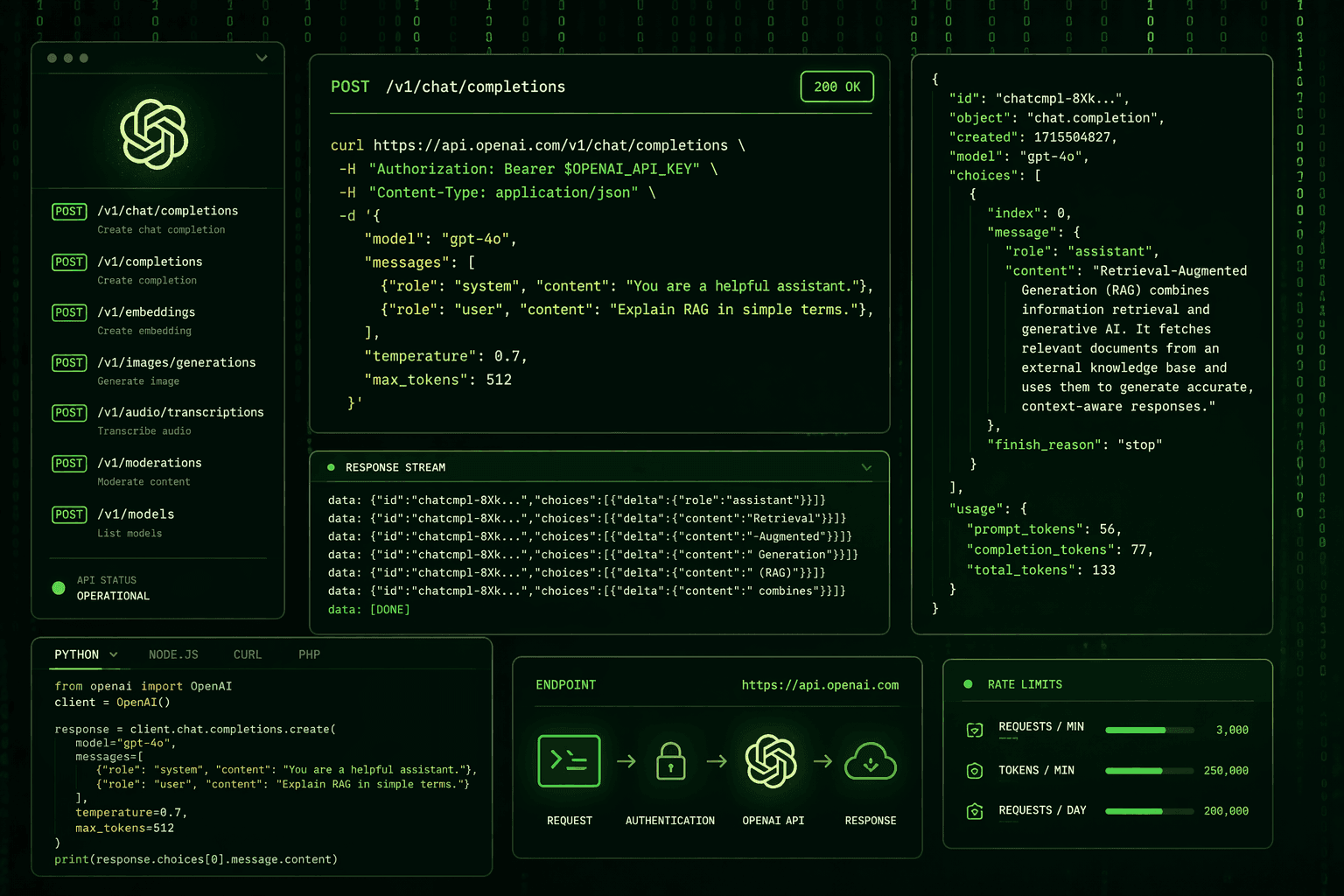
OpenAI's API has become the fastest path for product teams to add AI capabilities to their applications. Whether you are building a content generation tool, a customer support assistant, a code review feature, or a custom AI agent, the OpenAI API provides access to state-of-the-art language models through a clean, well-documented interface.
This guide covers the key decisions and best practices for integrating OpenAI into a production web or mobile application - from authentication and model selection to prompt engineering, cost management, and scaling.
Getting Started: Authentication and Environment Setup
OpenAI authentication uses API keys. Your API key should never be exposed in client-side code - not in your React frontend, not in your mobile app, not in any public repository. The API key should live exclusively on your server, accessed through environment variables.
The standard integration pattern is:
- Your frontend makes a request to your own backend endpoint.
- Your backend validates the request (authentication, rate limiting, input validation).
- Your backend calls the OpenAI API using the server-stored API key.
- The response is returned to your frontend.
This pattern keeps your API key secure, allows you to implement your own access controls, and gives you full observability over how your users are interacting with the AI features.
Choosing the Right Model
OpenAI offers multiple models with different capability and cost profiles. Choosing the right model for each task is one of the most important decisions in a cost-efficient integration:
- GPT-4o: OpenAI's most capable multimodal model. Handles text, images, and audio. Best for complex reasoning, detailed analysis, and tasks where quality is paramount. Higher cost per token.
- GPT-4o mini: A smaller, faster, and significantly cheaper version of GPT-4o. Appropriate for most standard text tasks - classification, summarisation, drafting, question answering. Excellent cost-to-performance ratio for high-volume applications.
- GPT-3.5 Turbo: Older but extremely fast and cheap. Still adequate for simple classification tasks and applications where response quality is less critical than speed and cost.
- Embeddings (text-embedding-3-large / small): Used for semantic search, similarity matching, and RAG implementations. Not a chat model - returns vector representations of text.
- Whisper: Audio transcription model available both via API and as an open-source model. Highly accurate, multilingual.
A common pattern in production is to use a cheaper, faster model (GPT-4o mini) for the majority of interactions and route only the most complex tasks to GPT-4o. This can reduce costs by 80-90% compared to using GPT-4o for everything.
Prompt Engineering Fundamentals
The quality of output from any LLM depends heavily on how you frame the input. Prompt engineering - writing effective prompts - is a skill with meaningful impact on product quality.
Key prompt engineering principles for production integrations:
Use System Prompts Effectively
The system prompt defines the AI's role, behaviour, constraints, and output format. A well-written system prompt is the foundation of consistent AI behaviour. Be specific: "You are a customer support assistant for Acme SaaS. Answer questions about billing, features, and account management. Do not discuss competitors. Always respond in English. If you do not know the answer, say so clearly and offer to escalate to a human."
Be Explicit About Output Format
If you need structured output - JSON, markdown, a specific list format - say so explicitly in the prompt. Use JSON mode (available in newer models) when you need guaranteed JSON output. Specify the exact schema you expect.
Few-Shot Examples Improve Consistency
Providing 2-3 examples of ideal input/output pairs in the prompt significantly improves output consistency for complex or nuanced tasks. Examples demonstrate what "good" looks like more reliably than description alone.
Chain of Thought for Complex Reasoning
For tasks involving multi-step reasoning, explicitly asking the model to "think step by step" before producing a final answer improves accuracy. This is especially useful for analysis, classification of complex inputs, and decision tasks.
Implementing Streaming Responses
For any conversational or long-form content use case, streaming the response is essential to user experience. Without streaming, users wait for the complete response before seeing anything - which at GPT-4 speeds can feel like 3-10 seconds of apparent inactivity.
OpenAI's API supports streaming via server-sent events (SSE). On the backend, you use the stream: true parameter and forward each token chunk to the client as it arrives. On the frontend, you process the stream and update the UI incrementally.
This gives users the experience of the AI "typing" a response in real time - which is dramatically better for conversational interfaces and long-form content generation.
Managing Costs at Scale
OpenAI charges per token (input + output). For high-volume applications, token costs can become significant. Key cost management strategies:
- Right-size your model selection - do not use GPT-4o for tasks that GPT-4o mini handles equally well.
- Minimise prompt length - every unnecessary word in your system prompt is a cost. Trim prompts to what is essential.
- Cache responses - for deterministic queries (the same question with the same context will give the same answer), caching at the application layer eliminates redundant API calls.
- Set max_tokens appropriately - cap output length to what your use case actually needs. Uncapped output on long tasks can significantly inflate costs.
- Monitor usage - set up alerts on OpenAI's usage dashboard and track per-user, per-feature token consumption in your own analytics.
Error Handling and Reliability
OpenAI's API is highly reliable but not infallible. Production integrations need robust error handling:
- Implement exponential backoff and retry logic for rate limit errors (HTTP 429) and transient server errors (HTTP 500, 503).
- Set appropriate request timeouts - a long-running API call that never resolves will block your server without a timeout.
- Log all requests and responses (with appropriate privacy handling) for debugging and quality monitoring.
- Define graceful degradation behaviour - what does your UI show when the AI feature is unavailable?
Content Moderation and Safety
If your application is consumer-facing, you need to think about content safety. OpenAI's API includes a Moderation endpoint that classifies input text for harmful content categories - and it is free to use. Running user inputs through the Moderation endpoint before passing them to the main model is a recommended practice for any application with open-ended user input.
AI Integration with Savyasachi Infotech
At Savyasachi Infotech, we integrate OpenAI and other AI providers into production web and mobile applications - handling everything from API architecture and prompt engineering to streaming implementation, cost management, and safety design. We build AI features that are reliable, cost-efficient, and genuinely useful to users.
If you are ready to add AI capabilities to your product, talk to our team about the right approach for your use case.
Observability and Continuous Improvement
A production OpenAI integration is not set-and-forget. The quality of AI outputs varies across different input types and edge cases, and user needs evolve over time. Building observability into your integration from day one is essential. This means logging inputs, outputs, latencies, and costs for every API call - in a way that allows you to analyse performance, identify failure modes, and improve prompts and model selection based on real usage data.
Consider implementing a feedback mechanism that allows users to rate AI outputs. Even a simple thumbs up / thumbs down signal provides valuable training data for identifying which inputs produce poor outputs, and for measuring whether prompt changes or model upgrades are actually improving quality for your specific use case. AI integration is a continuous improvement process, not a one-time deployment.
Ready to Add AI to Your Product - Done Right?
Adding AI to a production application involves more than calling an API. Prompt engineering, streaming, cost management, error handling, content moderation, observability - each layer requires careful implementation to produce an AI feature that users trust and that scales reliably.
At Savyasachi Infotech, we integrate OpenAI, Anthropic, and other AI providers into production web and mobile applications. We handle the full implementation - API architecture, prompt design, streaming, cost optimisation, safety layers, and monitoring - so you get an AI feature that works reliably in the real world, not just in a demo.
Book a free consultation and describe the AI feature you want to build. We will map out the implementation approach, flag the key decisions, and give you a clear picture of what it takes to ship it properly.